
-
IoT devices do not automatically connect to the strongest cellular signal.
-
SIM permissions and roaming agreements determine which networks can be used.
-
Device hardware and supported frequency bands influence network availability.
-
Multi-carrier and Multi-IMSI SIMs can provide access to additional approved networks.
-
Unexpected carrier changes are often normal network-selection behavior rather than a hardware failure.
Table of Contents
- Why Network Selection Is Often Misunderstood
- What Actually Happens During Network Selection
- The Main Factors That Influence Cellular Network Selection
- Why Devices Do Not Always Choose the Strongest Signal
- How Multi-IMSI and Multi-Carrier SIMs Affect Network Selection
- Why a Device May Suddenly Switch Networks
- Can You Force an IoT Device to Use a Specific Network?
- Common Network Selection Problems
- What to Check When a Device Chooses the Wrong Network
- Why Network Selection Matters for IoT Deployments
- FAQ
For many deployments, this is the part that causes confusion.
A device is installed in the field. The router shows cellular signal. A phone nearby shows another carrier with better coverage. Someone checks the dashboard and sees that the device has registered on a network they did not expect. The first assumption is usually that the SIM, router, or antenna is doing something wrong.
Sometimes that is true.
More often, the device is following the rules it was given.
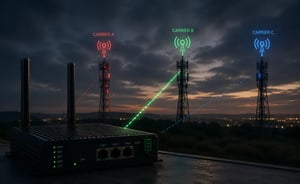
Cellular network selection is not a simple contest where the strongest tower wins. An IoT device may see several networks in the area, but that does not mean it is allowed to use all of them. The SIM profile, roaming agreements, network priority lists, modem firmware, and local radio conditions all influence the final decision.
That is why two devices in the same cabinet can behave differently. It is also why the same SIM can work well in one region and behave strangely in another.
Why Network Selection Is Often Misunderstood
One of the more common surprises during deployment is discovering that a device has connected to a carrier nobody expected.
A phone shows stronger coverage on another network. The router appears healthy. Yet the device remains attached to a different carrier.
That behavior is often intentional.
The assumption usually comes from how we think about phones. If one carrier shows more bars than another, it feels natural to expect the device to move there. In IoT, that logic breaks down quickly.
A cellular modem does not select from every signal it can hear. It selects from the networks it can detect, access, authenticate with, and remain registered on. Those are different things.
A device may see three networks at the same site:
- Network A has strong signal
- Network B has medium signal
- Network C has weak signal
If the SIM is only authorized to use Network B and Network C, Network A is not a real option. It may appear during a scan, but the device cannot register there.
This distinction becomes important during troubleshooting.
A network can be visible without being available. A signal can be strong without being usable. A carrier can appear in a scan without having a roaming relationship that allows the SIM to attach.
This is where many field investigations go in the wrong direction. Engineers spend time repositioning antennas, swapping routers, or questioning the hardware when the real limitation sits in the SIM profile or roaming policy.
What Actually Happens During Network Selection
From the outside, network selection looks almost instantaneous. The router powers up, finds a carrier, and eventually displays an operator name.
The process underneath is a little more involved.
Before a device can exchange data, several things have to line up. The modem has to find a network it can work with. The SIM has to present an identity the network recognizes. The carrier then decides whether that device is allowed to register and use its services.
The modem starts by searching the radio technologies and frequency bands supported by the hardware. That detail becomes important more often than many deployments expect.
A carrier may have excellent coverage in a particular area, but if the device does not support the bands being used there, that network is effectively unavailable. The signal exists. The modem simply cannot make practical use of it.
The SIM then presents its subscriber identity to the network. Depending on the deployment, that identity may be tied to a home operator, a roaming profile, or one of several IMSIs available to the SIM.
At that point, the carrier decides whether registration is permitted. The answer depends on roaming agreements, network policies, account provisioning, and sometimes the type of service associated with the SIM.
Once registration succeeds, most people assume the hard part is over.
Not necessarily.
A device can successfully register on a network and still fail to pass data. The APN may be incorrect. The data session may not establish properly. The SIM may have restrictions on that network. Somewhere else in the path, routing or policy controls may prevent traffic from reaching the application.
This is one reason connectivity investigations can become confusing. The router shows a carrier. The signal looks fine. Registration appears successful. Yet the application remains offline.
Network selection is only one piece of the puzzle. It determines where the device attaches. It does not guarantee that the entire communication path is working correctly.
Need Access to Multiple Carrier Networks?
Network selection depends heavily on which carriers a SIM is authorized to use. Multi-carrier IoT SIMs provide access to multiple approved networks, helping devices maintain connectivity across different coverage environments.
The Main Factors That Influence Cellular Network Selection
By the time a device registers on a network, several decisions have already been made behind the scenes. Signal strength is part of the picture, but rarely the only factor driving the outcome.
SIM Profile and Carrier Permissions
The SIM defines which networks the device is allowed to use.
A single-carrier SIM usually favors one home network. It may have limited roaming options, or none at all, depending on the plan. A roaming SIM may have access to several networks, but still only within the limits of its roaming agreements.
A Multi-IMSI SIM can carry multiple subscriber identities. That gives the SIM more ways to authenticate across different carrier environments, especially across countries or partner networks.
A multi-carrier SIM may give the device access to several approved networks, but it still does not mean the device can use every carrier it sees.
That distinction is important.
Multi-carrier does not mean uncontrolled access to all networks everywhere. It means the SIM has access to multiple carrier networks based on the agreements and profiles behind it.
Roaming Agreements
Roaming behavior is one of the least visible parts of IoT connectivity, but it has a strong effect on network selection.
A device may be allowed to roam on several networks in a country. Still, the SIM may prefer one network over another because of the roaming profile. Sometimes the preferred network is not the one with the strongest signal at that location.
This can be frustrating in the field.
A technician may see that another carrier has better coverage, but the device keeps returning to a different network. That does not always mean the modem is stuck. It may be following the priority rules assigned to the SIM.
Roaming agreements can also change over time. A deployment that worked one way last year may behave differently after carrier policy changes, roaming updates, or network shutdowns.
Device Radio Bands
The device itself can limit network choice.
A cellular router, modem, or IoT module supports specific LTE, LTE-M, NB-IoT, or 5G bands. If those bands do not match the bands used by a carrier in a given country or region, the device may not be able to use that network properly.
This becomes especially important in international deployments.
A device that works well in the United States may not perform the same way in Europe, Asia, or Latin America. The SIM may have roaming access, but the hardware may not support the best local bands.
From the outside, this can look like a SIM problem.
In reality, the SIM may be fine. The modem simply cannot use the right part of the local network.
Network Technology
The type of cellular technology supported by the device can narrow the list of available networks before signal strength is even considered.
Some devices use LTE Cat 1, Cat 4, or Cat 6. Others use LTE-M or NB-IoT. Some newer deployments use 5G. Each technology has different coverage, bandwidth, latency, and carrier support.
A network may support standard LTE in one area but have limited LTE-M or NB-IoT availability. Another carrier may support the technology but not allow roaming devices to use it in the same way.
This is one reason low-power IoT deployments need more planning than many people expect.
A tracker, meter, sensor, or alarm panel may not behave like a normal LTE router. The available network choices are narrower, and the attach process can be more sensitive to local carrier support.
Modem Configuration
The modem also has a say.
Some devices are configured for automatic network selection. Others may be locked to a preferred operator, technology, or band. Some routers allow manual carrier selection, preferred network lists, or roaming restrictions.
Those settings can help in controlled deployments, but they can also create problems later.
A carrier lock that made sense during testing may cause failures when devices are shipped to another region. A band lock used for troubleshooting may be forgotten. A modem profile may prefer LTE even when another technology would provide better stability for that use case.
Configuration is useful when it is intentional.
It becomes dangerous when nobody remembers it is there.
Local Radio Conditions
Signal still matters. It just does not act alone.
Poor signal strength can prevent a device from registering. Weak quality can cause session drops. Interference, congestion, building materials, antenna placement, and tower load can all influence whether a connection stays usable.
But signal bars do not tell the full story.
A device may show acceptable signal strength while the connection performs badly. In other cases, a weaker-looking signal may provide better data stability because the signal quality is cleaner or the cell is less congested.
That is why looking only at bars can mislead troubleshooting teams. For cellular deployments, metrics such as RSRP, RSRQ, SINR, latency, packet loss, and session stability usually tell a more useful story.
Why Devices Do Not Always Choose the Strongest Signal
This question shows up in deployment reviews, support tickets, and troubleshooting calls with surprising regularity.
The device is installed in a location where Carrier A has strong signal. The router connects to Carrier B. Someone checks with a phone, sees better service on Carrier A, and assumes the router made the wrong decision.
Maybe it did.
But often, the router never had permission to use Carrier A.
A cellular device does not choose a network the same way a person chooses Wi-Fi from a list. It cannot simply pick the strongest available carrier and attach. The SIM must be accepted. The carrier must allow the connection. The device must support the right bands. The roaming policy must permit that network. The modem must be configured to use it.
Signal strength only matters after those gates are passed.
There is also another issue. The strongest signal is not always the best connection.
A tower can be close but congested. A signal can be strong but noisy. A device can have good RSRP but poor SINR. The dashboard may show acceptable bars while data performance remains unstable.
This is one reason field teams sometimes get caught in a loop. They improve signal strength, but the issue remains. The real problem is not the amount of signal. It is the quality of the connection, the network the SIM is allowed to use, or the way the device is being routed through the carrier network.
Need IoT connectivity that can work across more than one approved carrier network?
POND IoT Multi-Carrier SIMs are designed for deployments where devices cannot depend on a single network everywhere they operate.
How Multi-IMSI and Multi-Carrier SIMs Affect Network Selection
Network selection becomes more interesting once devices leave the environment they were originally designed for.
A single-carrier SIM can work perfectly in a fixed installation where coverage is predictable and the device rarely moves. Problems tend to appear when deployments expand into new regions, cross national borders, or operate in locations where one carrier cannot provide consistent coverage.
This is where Multi-IMSI and multi-carrier approaches start to change the picture.
Rather than relying on a single subscriber identity, a Multi-IMSI SIM can present different identities depending on the network environment. The practical benefit is not the IMSI itself. The benefit is having additional paths onto networks that may otherwise be difficult to access through a single carrier relationship.
The same idea applies to multi-carrier connectivity.
Instead of depending on one carrier footprint, the deployment gains access to multiple approved networks. Which network is selected still depends on roaming policies, SIM permissions, modem behavior, and local conditions, but the device has more options available when circumstances change.
That flexibility becomes particularly valuable in mobile and international deployments.
A tracker moving across several regions, a router installed at temporary sites, or equipment operating across multiple countries may encounter network conditions that change throughout the day. Limiting those devices to a single carrier can create unnecessary coverage gaps.
More options do not mean the device should switch networks constantly.
In well-managed deployments, the objective is usually the opposite. The device should remain on a stable network whenever possible and move only when there is a legitimate reason to do so, such as coverage loss, changing network availability, or carrier restrictions.
Too little flexibility can leave devices stranded on poor connections. Too much unnecessary switching can introduce instability, session interruptions, and inconsistent application behavior.
For most IoT deployments, success is not measured by whether the device found the strongest signal. It is measured by whether the device remained connected to a network that was available, permitted, and capable of supporting the application.
Why a Device May Suddenly Switch Networks
A device that has been stable for months can suddenly appear on another carrier. That does not always mean something broke.
Network switching can happen for several reasons.
The original network may no longer be the best option available. A maintenance event on a nearby site, changes in the local radio environment, updated roaming preferences, or a simple reboot can all influence which carrier the device selects the next time it registers.
Sometimes the trigger is small.
A router installed near a metal cabinet door may behave one way when the door is open and another way when it is closed. A device mounted indoors may switch after being moved a few feet. A mobile asset may cross into a region where the previous carrier is weak and another approved carrier becomes more usable.
In mobile IoT, this is expected.
In fixed IoT, it can be surprising.
The important question is not only why the device switched. The better question is whether the new network is stable, authorized, and appropriate for the application.
If the device switches once and keeps working, it may have done exactly what it was supposed to do. If it switches repeatedly, drops sessions, or loses data, then the investigation should look deeper.
Frequent switching can point to borderline coverage, poor antenna placement, conflicting modem settings, weak roaming preference logic, or a site where no available network is truly stable.
Can You Force an IoT Device to Use a Specific Network?
Many devices allow it, although that does not always mean it is a good idea.
Many cellular routers and modules allow manual network selection, carrier locking, or band locking. These tools can be useful during testing or in controlled deployments where one carrier is known to perform best.
But locking should be used carefully.
A forced network selection can solve one problem and create another. If the selected carrier goes down, becomes congested, changes local coverage, or loses roaming support, the device may have no fallback. A multi-carrier SIM cannot help much if the modem is locked to one network and never allowed to move.
Manual locking is sometimes useful for:
- Testing carrier performance at a site
- Avoiding a known unstable network
- Keeping fixed equipment on a preferred operator
- Troubleshooting roaming behavior
- Reducing unnecessary switching
It is risky for:
- Mobile assets
- Cross-border deployments
- Devices installed in unknown coverage areas
- Large fleets managed remotely
- Applications that need automatic recovery
A locked configuration should be documented. Otherwise, it becomes a future troubleshooting trap.
Someone sees a device offline, checks the SIM, checks the account, checks the antenna, and only later discovers that the modem was manually restricted months ago.
Common Network Selection Problems
Network selection problems rarely announce themselves as network selection problems.
More often, they appear as something else. A device stops reporting data. A router connects to an unexpected carrier. An application goes offline. The symptoms may point toward signal, hardware, or SIM issues even when the real cause sits elsewhere.
The table below shows how these issues often appear in the field.
| Symptom | Possible Cause |
|---|---|
|
Device connects to an unexpected carrier
|
Roaming preference, SIM permissions, modem auto- selection
|
|
Device sees a carrier but will not register
|
No roaming agreement, blocked network, unsupported service
|
|
Device shows signal but has no data
|
APN issue, failed data session, routing issue, carrier restriction
|
| Device keeps switching networks |
Borderline coverage, poor signal quality, roaming behavior, unstable radio conditions
|
|
Device works in one country but not another
|
Missing bands, limited roaming, local technology mismatch
|
|
Device works after reboot, then fails again
|
Registration instability, weak network quality, modem firmware issue
|
|
Device connects in testing but fails after deployment
|
Different carrier coverage, antenna placement, locked settings, local restrictions
|
This is why troubleshooting should not stop at signal level.
A device can have signal and still fail to pass traffic. It can register and still lose sessions. It can connect to a carrier that looks wrong but is actually the only approved option at that location.
The useful troubleshooting question is usually not, "Why did it choose that network?"
It is, "Was that network allowed, stable, and capable of supporting the application?"
What to Check When a Device Chooses the Wrong Network
When a device connects to a carrier you did not expect, start with the basics before replacing hardware.
Check the SIM profile. Confirm which networks the SIM is allowed to use in that country or region. If the provider can confirm available carrier access, that can save hours of guessing.
Check the modem settings. Look for manual network selection, locked bands, roaming restrictions, preferred technology settings, or old test configurations that were never cleared.
Check supported bands. This matters more than many teams expect, especially when devices are deployed internationally or sourced from different hardware batches.
Check the APN. A device may register on a network but fail to create the correct data session if the APN is wrong or not allowed for that SIM profile.
Check signal quality, not just signal strength. A strong but noisy signal can be worse than a weaker clean one. If the router provides RSRP, RSRQ, SINR, and packet loss data, use them.
Check whether the issue is network selection or application reachability. A device may be connected correctly while the application fails because of DNS, routing, firewall rules, private addressing, CGNAT, or backend availability.
These checks usually narrow the problem quickly.
Without them, troubleshooting tends to drift toward guesswork. Hardware gets swapped, antennas get moved, and the SIM becomes the prime suspect long before the actual cause has been identified.
Need more flexibility when devices operate across different carriers and coverage environments?
POND IoT provides multi-carrier connectivity, centralized SIM management, and connectivity solutions for fixed, mobile, and international IoT deployments.
Why Network Selection Matters for IoT Deployments
For a phone user, a network change may be barely noticeable. For IoT, it can affect the entire deployment.
A payment terminal may need stable low-latency connectivity. A security camera may need consistent upload performance. A tracker may need wide coverage across rural and urban routes. A router at a remote site may need predictable access for monitoring and management.
Different applications tolerate network changes differently.
Some devices recover quickly after a network switch. Others restart the data session, lose the VPN tunnel, pause reporting, or require the application to reconnect. A short registration event may not matter for a sensor that reports once per hour. It may matter a lot for a live video feed or transaction system.
Many network selection problems are created long before the device is ever installed.
Before a large rollout, teams should understand:
- Which networks the SIM can access
- Which bands the device supports
- Which carriers perform best in the target locations
- Whether the application can tolerate network switching
- Whether public IP, private IP, VPN, or private APN access is required
- Whether devices will stay fixed, move locally, or cross borders
These details often determine whether a deployment feels stable in production or becomes a source of recurring support tickets.
They also explain why a pilot can pass and a rollout can still struggle. A pilot may test one region, one carrier footprint, one building type, or one hardware batch. Production exposes the device to more networks, more radio conditions, and more edge cases.
FAQ: How IoT Devices Choose Cellular Networks
The strongest signal is not always the chosen network. It may not be authorized, it may not support the device properly, or it may not provide the most stable data session.
Access to multiple carriers does not mean a device will jump between networks whenever it sees a stronger signal. The benefit is having additional approved network options when coverage changes, a carrier becomes unavailable, or deployment conditions shift.
Signal bars rarely tell the whole story. SIM permissions, roaming behavior, modem configuration, APN settings, supported bands, and signal quality often explain more than signal strength alone.
For large deployments, network selection should be planned before rollout. Once devices are installed in the field, hidden assumptions about carrier access can become expensive to fix.
Need More Reliable Cellular Connectivity for IoT Devices?
IoT network behavior depends on carrier access, roaming rules, device compatibility, and real coverage conditions in the field. POND IoT provides cellular solutions for fixed, mobile, and international IoT deployments.Whether devices operate from a single site, move between regions, or cross international borders, POND IoT delivers connectivity designed for stable and reliable operation.