
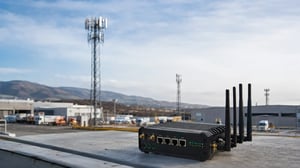
That is why a router may stay on a weaker-looking carrier even when another network is visible nearby. Signal strength matters, but it is only one part of the decision.
Table of Contents
- The Router Does Not Start With Signal Strength
- The Modem First Looks for a Network It Is Allowed to Use
- Preferred Network Lists Can Override the Strongest Carrier
- Registration Attempts Can Delay the Switch
- Roaming Rules Narrow the Router’s Real Choices
- Signal Thresholds Decide When the Router Can Leave
- Modem Firmware Shapes What Happens Between Failure and Recovery
- Registration Is Not Enough to Prove the Connection Works
- Failback Can Be More Disruptive Than Failover
- Why the Strongest Signal Does Not Always Win
- Automatic and Policy-Based Carrier Selection Behave Differently
- What to Check When a Router Stays on the Wrong Carrier
- Multi-Carrier Access Is Only the Starting Point
- Frequently Asked Questions
The Router Does Not Start With Signal Strength
The router is online, but the connection is becoming slow and unstable. A second carrier appears in the network scan with better RSRP, yet the modem does not move.
At first glance, that looks like a poor network decision. In many cases, the router is doing exactly what its configuration, SIM profile, and modem firmware tell it to do.
Before signal quality becomes important, the modem has several other questions to answer.
Is the network allowed by the SIM? Is it on a preferred list? Has registration succeeded there before? Has the current connection crossed the threshold that permits a switch?
A network can appear in a scan and still never become a real option. The modem may be able to see the carrier’s radio signal without being allowed to register on it. In other cases, registration is allowed, but the modem continues to favor another network because that carrier has a higher priority in the SIM or router configuration.
This is the first point to keep in mind when reading a router dashboard:
Visible, allowed, preferred, and usable are four different states.
The decision usually moves through those stages in that order. The modem does not line up every nearby carrier, compare signal bars, and select the strongest one.
Its decision is closer to this:
| Decision Stage | What the Router or Modem Checks |
|---|---|
| Network scan | Which carriers and radio technologies are visible |
| SIM access | Which networks the active SIM profile permits |
| Carrier priority | Whether one network is preferred over another |
| Registration | Whether the carrier accepts the modem |
| Data session | Whether the modem receives working data service |
| Connection health | Whether traffic, latency, or packet loss meets policy |
| Failover | Whether conditions are poor enough to justify switching |
This order explains why the carrier with the best signal may never become the router’s final choice. It still has to pass every stage between visibility and a usable data path.
The Modem First Looks for a Network It Is Allowed to Use
When the modem starts, reconnects, or loses service, it scans for available public land mobile networks, or PLMNs. Each PLMN identifies a mobile operator through a Mobile Country Code (MCC) and Mobile Network Code (MNC).
The scan shows what is present over the air. It does not show what the SIM can actually use.
The modem compares the detected networks with information stored in the SIM, modem, and carrier profile. That information may include a home network, roaming partners, preferred networks, forbidden networks, and previously rejected networks.
If a carrier is not permitted by the active SIM profile, stronger signal will not change the outcome. The modem may detect it repeatedly and still move past it during registration.
A visible network may also reject registration because of regional restrictions, network policy, or an unsupported service profile.
From the router interface, this can look confusing. The carrier appears in the scan, sometimes with excellent signal, but the modem either ignores it or fails to remain registered.
The modem log usually tells a clearer story than the signal screen. It may show:
- registration rejected
- forbidden PLMN
- packet service denied
- unsupported service profile
- no suitable cells on the permitted radio mode
These messages matter because they separate a radio problem from an access problem.
A weak carrier that accepts the SIM is more useful than a strong carrier that does not.
Is Your Router Limited by the Networks It Can Access?
Preferred Network Lists Can Override the Strongest Carrier
Once the modem has identified the networks it is allowed to use, it still may not treat them equally.
Many SIM profiles and modem configurations contain a preferred network order. The modem may therefore consider one carrier before another, even when the second network has stronger signal.
This preference can come from several places.
The SIM may contain a preferred PLMN list. The connectivity provider may apply network steering. The router may have a manually configured carrier order. Separate radio-access preferences may also make the modem search for 5G or LTE before considering an otherwise usable network on another technology.
That creates a common field scenario.
Carrier A has weaker RSRP but sits at the top of the preferred list. Carrier B has stronger signal and good local capacity, but the modem will not consider it until Carrier A fails registration or the current connection becomes unacceptable.
The router is not comparing both networks continuously. It is following a sequence.
The strongest signal does not lose because the router cannot see it.
It often loses because the modem has not reached that option yet.
Registration Attempts Can Delay the Switch
The modem has now found an allowed carrier and started registration. This is where the process can slow down.
Registration is not a single request with an immediate yes or no. The modem sends an attempt, waits for a response, and may try again before giving up. If the network is busy, unstable, or only partly reachable, this can take longer than expected.
That matters when another carrier is already available.
The router may appear to be ignoring a better option, but the modem is still trying to complete registration on the carrier it reached first. Until the retry limit, timer, or rejection condition is met, it may not move on.
Not every failed attempt produces the same response.
A hard rejection usually gives the modem a clear reason to leave. A timeout is less decisive, so the modem may assume the response was delayed and try again. Temporary failures can trigger another wait period. Some modems also remember a recent failure and avoid that carrier briefly before testing it again.
This creates several patterns that are easy to misread in the field.
A router may take longer to reconnect after an outage than it did during installation. It may cycle between searching and registering without establishing data service. It may briefly attach to one carrier, drop, and return to the preferred network instead of moving to the next option.
The router interface often reduces all of this to a simple status such as connecting or searching. The modem log usually shows the sequence more clearly:
- network found
- registration requested
- request timed out or rejected
- retry started
- next network selected
The delay is not always caused by poor signal. It may come from the time the modem spends confirming that the preferred network is no longer usable.
This becomes important when failover speed matters. A router may eventually switch successfully, but the application above it may already have lost transactions, telemetry, or remote access.
The carrier change worked. It simply happened too late.
Roaming Rules Narrow the Router’s Real Choices
After the modem finds a network and attempts registration, roaming policy becomes part of the decision.
A multi-carrier SIM may have access to several operators, but that access is not necessarily equal in every market. One carrier may accept the subscription normally, another may be available only under specific conditions, and a third may reject it entirely.
The router does not see the commercial agreement behind those rules. It sees the result.
Roaming restrictions may depend on:
- whether the visited carrier accepts the subscription
- permanent roaming limits in that market
- the radio technology being used
- the account or service profile attached to the SIM
- whether packet data is supported on that network
The modem handles each response differently. A permanent rejection may place the carrier on a forbidden list. A temporary rejection may trigger another attempt later. In some cases, registration succeeds but the data path still does not work as expected.
That is why several carriers can appear in a network scan while only one or two are realistic options.
Roaming policy determines which paths the modem may attempt. It does not prove that the path will carry usable traffic after registration.
Signal Thresholds Decide When the Router Can Leave
Once the router has a working connection, its behavior changes.
It is no longer asking, “Which carrier can I join?” It is asking, “Is the current connection bad enough to leave?”
A stronger nearby carrier is not enough on its own. Moving an active session introduces disruption. The modem must leave the current network, scan again, register elsewhere, establish a new data session, and rebuild the route used by the application.
If the current connection still works, staying where it is may be safer than chasing a modest signal improvement.
For that reason, routers usually rely on thresholds rather than simple carrier-to-carrier comparisons.
The current network may be kept until RSRP falls below a configured level. Other policies may also consider RSRQ, SINR, latency, packet loss, failed checks, or loss of access to a required destination.
The switch begins only after the connection crosses the condition defined by that policy.
A single weak reading is rarely enough. Cellular measurements move constantly, even when the router remains in the same place. Interference, network load, passing vehicles, weather, and changes inside the building can all affect the values reported by the modem.
If the router reacted to every small change, it could move back and forth between carriers throughout the day.
That is why switching logic usually includes time as well as signal.
The router may require the connection to remain below a threshold for a set period. It may wait for several failed checks or enforce a dwell timer before another carrier change is allowed.
It may also require the alternative network to be better by a defined margin. This is commonly handled through hysteresis.
The term simply means that the router uses different conditions for leaving and returning. It may leave a carrier after performance falls below an unacceptable level, but it will not return as soon as that carrier improves slightly.
Without that gap, two networks with similar conditions could keep trading places.
There is another practical limit: most cellular routers cannot evaluate every carrier continuously while maintaining a stable data session. A full network scan may interrupt traffic or require the modem to leave its current serving cell.
Manufacturers therefore limit how often those scans occur. The router may detect that the current connection is deteriorating before it has a fresh view of every alternative network.
A stable router is not always the router that changes carriers fastest.
It is the router that changes only when staying connected has become the greater risk.
Are Slow Carrier Switches Causing Downtime?
Modem Firmware Shapes What Happens Between Failure and Recovery
Two routers can use the same SIM, sit at the same location, and still choose different carriers.
The difference often starts below the router interface.
The cellular modem has its own firmware, network-selection routines, timers, and recovery logic. The router can tell it to use automatic selection, scan available networks, or register on a specific carrier. It does not control every step that follows.
One modem may leave a rejected carrier quickly. Another may keep trying longer or return to that carrier during a later scan. Those differences are rarely obvious from the main dashboard.
The router may show the same sequence each time:
Searching → Connecting → Registered
Underneath that simple status, the modem may be scanning bands, testing radio technologies, clearing a temporary restriction, or rebuilding the packet session.
Firmware also shapes recovery after an unusual network response.
A modem may register successfully but fail while establishing data service. It may lose its serving cell without immediately declaring the carrier unavailable. It may remain attached even though the data context has stopped passing traffic.
Depending on the implementation, the modem may:
- rebuild the data session
- detach and register again
- widen the carrier or band search
- restart the radio stack or the modem
This is why a modem reset can appear to fix carrier selection.
The reset clears the current registration state, active session, cached failures, and parts of the modem’s recent network history. Selection then starts again from a cleaner state.
That may restore service, but it does not identify the original cause. If the same condition returns, the problem may sit in firmware handling, the carrier response, or the router’s recovery sequence rather than in local signal conditions.
Firmware updates can improve scan and recovery behavior, but they can also change timing or selection order. Carrier-selection testing should therefore be repeated after a modem or router firmware update.
The important boundary is this:
The router defines the policy, but the modem firmware carries out much of the network-selection work.
When those two layers do not behave as expected together, the router can appear to ignore its own settings.
Registration Is Not Enough to Prove the Connection Works
The modem has selected a carrier, completed registration, and received an IP address.
The router can now display a carrier name, signal metrics, and an active cellular interface.
None of those values proves that the application can communicate.
Registration confirms that the mobile network accepted the modem. An IP address confirms that a data session was created. The path beyond that point can still fail.
DNS may not respond. The roaming route may be unstable. A VPN tunnel may be down. The public internet may work while the application’s private endpoint remains unreachable.
From the cellular side, the connection looks established.
From the application side, it is already an outage.
This is where router health checks become more important than registration status alone.
A basic configuration may check only whether the cellular interface is up. A better configuration sends traffic through that interface and confirms that the destination being protected can actually be reached.
A public ping target may confirm general internet access, but it does not prove that a payment processor, cloud platform, VPN gateway, or remote management server is responding. DNS checks may be necessary when applications depend on domain resolution. An HTTPS request can validate more of the route than a simple ping, although it also introduces more points that can fail.
The health check should represent the service that matters. Otherwise, the router may consider the interface healthy while the application is already offline.
Failover logic combines registration state with these health-check results and decides when to act.
A complete loss of registration is straightforward. The modem has left the network, so the router begins recovery or moves to another carrier.
Partial failures are harder.
The modem may remain registered while latency rises or packet loss becomes unacceptable. One health check may fail and the next may succeed. An application endpoint may be unavailable while the rest of the internet continues to work.
Switching on the first failed test would be too aggressive. Waiting through repeated failures may be too slow.
Routers usually manage that balance with counters and timers. A policy may require several consecutive failed checks before declaring the connection down. It may pause briefly to avoid reacting to a temporary interruption.
Once failure is confirmed, the router may still try to repair the current session before changing carriers. That can mean rebuilding the data context, restarting the cellular interface, or resetting the modem.
A typical sequence may look like this:
| Failure Stage | Router Response |
|---|---|
| First failed check | Continue monitoring |
| Repeated failed checks | Rebuild the data session |
| Session still unusable | Restart the cellular interface |
| Carrier still fails validation | Scan or register on another allowed network |
| Alternative connection works | Hold the new connection for a minimum period |
| Preferred carrier recovers | Return only if failback rules permit it |
This order is not universal. Some routers switch carriers before resetting the modem. Others attempt recovery first because a carrier change requires the same radio restart.
What matters is that the sequence matches the deployment.
A remote sensor may tolerate several minutes of recovery attempts. A payment terminal or live video system may not. The same failover settings should not be copied across both environments simply because the router hardware is identical.
Failover is not only a question of whether another carrier is available.
It is a question of how much failure the application can absorb before the router begins looking for one.
Failback Can Be More Disruptive Than Failover
The router has moved to another carrier and the connection is working again.
Many configurations then begin looking for the preferred network. That return process is called failback, and it can create a second outage after the first one has already been resolved.
A preferred carrier may reappear before it is fully stable. Signal can recover while congestion remains, and registration may succeed even though the data path is still inconsistent.
If the router returns too quickly, it can leave a working fallback connection for a carrier that fails again minutes later.
This is common after network maintenance or a wider outage. Service often returns in stages: radio coverage appears first, registration follows, and normal data performance may take longer.
A sensible failback policy waits. It may require the preferred carrier to remain available for a set period and pass data-path checks before the router moves.
Some deployments disable automatic failback entirely when stability matters more than carrier preference.
The preferred network must be more than visible. It must be allowed, registered, usable, and stable enough to justify another interruption.
Failover restores the path.
Failback decides whether it is worth disturbing that path again.
Why the Strongest Signal Does Not Always Win
Signal strength describes only one part of the connection.
RSRP shows how strongly the modem receives the serving cell. It does not show how clean that signal is, how busy the network has become, or what happens to traffic after it leaves the tower.
A carrier with stronger RSRP may still perform poorly because of:
- low SINR caused by interference
- poor RSRQ during heavy cell load
- congestion on the serving cell
- high latency across the roaming path
- packet loss beyond the radio network
- unstable routing to the application
- limited service on the available radio band
A weaker signal can therefore support a more reliable data path. The radio reading may look less impressive, but the connection can still deliver lower latency, fewer dropped packets, and more consistent application performance.
The application also changes what “best carrier” means.
A telemetry device sending a small payload every hour may work normally on a connection that would be unsuitable for video, voice, or payment traffic. A carrier that performs well for one deployment may not meet the requirements of another at the same location.
The best network is not always the one with the strongest radio reading.
It is the one that can support the service the deployment actually needs.
Automatic and Policy-Based Carrier Selection Behave Differently
Not every router chooses carriers in the same way.
Some leave most of the decision to the modem. Others apply a defined carrier order, signal thresholds, data-path checks, or centrally managed policies.
| Selection Method | How It Behaves |
|---|---|
| Automatic modem selection |
The modem follows SIM preferences, network responses, and its own firmware logic
|
| Preferred carrier order |
Networks are attempted according to a configured priority
|
| Signal-threshold switching |
The router leaves when radio conditions remain below a defined level
|
| Health-check failover |
The router switches after traffic fails to reach a required destination
|
| Manual carrier lock |
The modem stays on one selected operator until the setting is changed
|
| Central policy control |
Carrier and failover rules are applied through a remote management platform
|
No single method covers every failure.
Automatic selection handles basic network registration. Preferred lists control which carrier is considered first. Thresholds and health checks add rules for leaving a connection that is still registered but no longer suitable.
Reliable deployments often combine more than one method.
The SIM defines the available networks. The modem handles registration. The router decides whether the resulting path remains acceptable.
Explore Multi-Network IoT Connectivity
What to Check When a Router Stays on the Wrong Carrier
A router that remains on a weak or unreliable network may be held up at several points in the selection process.
Start by confirming what the router is configured to do.
Check whether carrier selection is automatic, priority-based, or manually locked. Review any preferred PLMN list, network steering policy, or radio-technology preference that could place one carrier ahead of another.
Then look at the modem’s current state.
The carrier name and signal bars are not enough. Check:
- current PLMN and radio technology
- registration status and rejection codes
- RSRP, RSRQ, and SINR
- recent network scans
- registration and retry history
- health-check results
- failover and failback timers
- firmware and modem versions
Read those results in sequence.
A visible alternative network is not useful if registration is rejected. A registered connection is not healthy if data-path checks fail. A router may also remain on the current carrier simply because the configured threshold has not yet been crossed.
Modem logs can show whether the router is truly stuck or still working through its normal recovery process. Repeated registration attempts, temporary forbidden states, interface resets, and data-session rebuilds point to different causes.
Avoid changing several settings at once.
Reducing timers, changing thresholds, replacing the health-check target, and updating firmware together may produce a faster switch without showing which change solved the problem. It may also create repeated carrier changes later.
The useful question is not simply, “Why did the router choose this network?”
It is, “Which stage of the selection or recovery process prevented it from choosing another one?”
Multi-Carrier Access Is Only the Starting Point
Access to several carriers gives the router more possible paths, but the SIM profile and router configuration determine how effectively those paths are used.
A deployment still needs carrier access that fits its operating markets, along with failover rules that reflect how much interruption its applications can tolerate.
The aim is not frequent switching. It is a connection strategy that gives the router a viable alternative when the current carrier can no longer support the service.
The SIM defines which networks may be used. The modem manages scanning and registration. The router applies thresholds, health checks, failover timing, and failback rules.
Reliable switching depends on those layers matching the needs of the application.
Frequently Asked Questions
A stronger signal does not automatically make a network the router’s first choice.
The modem still has to check whether that carrier is allowed, where it sits in the preferred order, and whether registration succeeds. A network can look excellent in a scan and still never become the active connection.
It may still be above the signal threshold, continue passing health checks, or remain inside a dwell period after the last switch. From the router’s point of view, moving may create more disruption than staying.
Some systems move quickly after a hard registration failure. Others spend more time retrying, rebuilding the data session, restarting the interface, or waiting for several failed checks.
The modem scan and the next registration attempt add their own delay.
Manual carrier selection is available on many routers and can be useful during testing or troubleshooting.
The tradeoff is straightforward: once the modem is locked, it will not move to another operator automatically if the selected network becomes unavailable.
The modem handles scanning and registration. The router decides whether the current connection is still acceptable and when another network should be tried.
So, multi-carrier access gives the router more options. It does not guarantee that those options will be used at the right time.
Firmware also influences what happens after a rejected registration or a failed data session. That is why carrier-selection behavior should be retested after a modem or router update
Internet failover is the wider recovery process. The alternative path may be another carrier, a second modem, fixed broadband, or satellite.
Carrier switching can be one part of failover, but it is not the whole process.
That is why stronger setups usually use both. Radio thresholds watch the link near the modem, while health checks confirm that the service behind it is still reachable.