
Table of Contents
- What Is Port Forwarding?
- How Port Forwarding Normally Works
- Why Port Forwarding Often Fails on Cellular Networks
- Common Signs CGNAT Is Blocking Port Forwarding
- Why Dynamic DNS Usually Doesn't Solve the Problem
- How to Check Whether Your Cellular Connection Uses CGNAT
- How to Access Devices Behind CGNAT
- Port Forwarding vs VPN vs Static IP vs Private APN
- When Port Forwarding Is Not the Best Solution
- Frequently Asked Questions
- Conclusion
What Is Port Forwarding?
Most devices inside a network are only designed to communicate outward. A security camera can send video, a controller can send telemetry, and a router can establish internet connections. Reaching those devices from outside the network is a different matter.
Port forwarding is the mechanism that makes this possible. It tells the router where to send incoming traffic when someone attempts to connect from the internet.
In practice, it is commonly used to access security cameras, industrial equipment, monitoring systems, and remote routers installed at locations where on-site access is limited.
For years, this has been a standard configuration on fixed broadband connections. Then someone installs the same equipment on LTE or 5G, applies the same settings, and suddenly nothing works.
That is usually the point where the real problem starts to reveal itself.
How Port Forwarding Normally Works
When port forwarding works, nobody thinks about it.
A router receives a public IP address from the provider. A forwarding rule is created. Someone connects from another location and reaches the intended device. The setup may stay unchanged for years.
This is common in offices, retail stores, warehouses, and other locations using traditional broadband services. Remote access becomes part of the infrastructure and eventually fades into the background.
The important detail is easy to overlook because it rarely causes problems. The router is directly reachable from the internet:

Every incoming connection arrives at the router first. Only then can the router decide whether that traffic should be sent to a camera, controller, gateway, or another device on the local network.
Most port forwarding guides assume this condition already exists.
The trouble starts when the router is no longer the first stop for incoming traffic.
Why Port Forwarding Often Fails on Cellular Networks
A camera, router, or gateway that was reachable yesterday over a wired connection suddenly becomes inaccessible after moving to LTE or 5G. The forwarding rules are still there. The device is online. Nothing obvious appears to be wrong.
Many people spend hours checking firewall settings, reviewing forwarding rules, or recreating configurations from scratch. The problem often lies somewhere else.
Most cellular providers do not give every subscriber a unique public IP address. Instead, many connections sit behind Carrier-Grade NAT (CGNAT), a technology that allows large numbers of customers to share a smaller pool of public IPv4 addresses.
The traffic path may look something like this:

That extra layer changes everything.
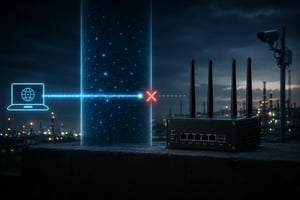
The incoming connection reaches the carrier's CGNAT infrastructure before it ever has a chance to reach the router. From the internet's perspective, the carrier's address is visible, but the router itself is not.
This is why a deployment can appear healthy while remote access remains impossible.
- The forwarding rules exist
- The router is connected
- Dynamic DNS updates correctly
- The device is online
Yet incoming traffic never reaches the router, so the forwarding rule never gets used.
What looks like a port forwarding problem is often an addressing problem.
If you'd like a deeper look at how Carrier-Grade NAT works, see our guide on CGNAT Explained for IoT and Cellular Deployments.
Common Signs CGNAT Is Blocking Port
Forwarding
After checking enough failed deployments, the same warning signs start to appear.
If several of these signs appear together, checking for CGNAT is usually a good place to start.
Why Dynamic DNS Usually Doesn't Solve the
Problem
Dynamic DNS is often introduced after port forwarding stops working.
The pattern is familiar.
Port forwarding doesn't work.
Dynamic DNS gets configured.
The hostname updates correctly.
Nothing changes.
At that stage, it is tempting to assume the Dynamic DNS service is the problem. In many cases, it is doing exactly what it should be doing.
The hostname resolves correctly.
The IP address is correct.
The device remains unreachable.
The reason is simple. Dynamic DNS helps users find an address. It does not change how traffic reaches the destination.
If the connection sits behind CGNAT, inbound traffic still stops at the carrier's network before it can reach the router. The hostname may point to the correct location, but the router remains inaccessible from the public internet.
That is why Dynamic DNS and port forwarding can both be configured correctly while remote access continues to fail.
How to Check Whether Your Cellular Connection Uses CGNAT
The answer often appears during troubleshooting rather than during configuration.
The router reports one IP address.
The internet reports another.
That difference is often the clue.
When both addresses match, the router is usually visible from the public internet.
When they differ, another layer is often sitting between the router and the internet.
Several address ranges appear regularly in these situations:
- 10.0.0.0/8
- 172.16.0.0/12
- 192.168.0.0/16
- 100.64.0.0/10
The 100.64.0.0/10 range was reserved specifically for Carrier-Grade NAT and frequently appears on cellular networks.
How to Access Devices Behind CGNAT
Once CGNAT has been identified, the focus usually shifts away from port forwarding and toward finding another way to reach the device.
Different deployments solve the problem in different ways.
Static Public IP
Sometimes the issue disappears as soon as the router receives a publicly reachable static IP address.
Incoming connections can reach the router directly, which means traditional port forwarding behaves much the same way it would on a wired broadband connection.
These are often the kinds of deployments where remote access is expected to work at any time, whether the device is a security camera, a cellular router, or equipment installed at a remote site.
VPN-Based Access
Not every deployment needs a publicly reachable address.
Many organizations take the opposite approach and avoid exposing devices to the internet altogether.
Instead, the router establishes an outbound VPN connection to a remote server. Users connect through that VPN rather than reaching the device directly. Because the connection originates from inside the network, CGNAT is typically no longer part of the problem.
Private APN
As deployments grow, remote access often becomes a network design question rather than a router configuration question.
In some deployments, the goal is not to make devices reachable from the public internet at all.
Devices communicate within a private cellular environment, and access is controlled through the network design rather than through individual forwarding rules.
This approach is common in larger IoT deployments where centralized management, security, and control become more important than individual port forwarding rules. In these environments, understanding the differences between VPNs and Private APNs becomes increasingly important.
Port Forwarding vs VPN vs Static IP vs Private APN
By this point, the question is no longer why remote access is failing.
The question becomes which approach makes the most sense going forward.
No single option is right for every deployment.
The best choice depends on security requirements, management preferences, and the number of devices involved.
When Port Forwarding Is Not the Best Solution
Port forwarding often works well when only a handful of devices need to be reached remotely.
The conversation tends to change as deployments become larger.
A single camera at one location presents a very different challenge from hundreds of devices spread across multiple sites.
The same is true when security requirements become stricter or when access must be controlled for different users and teams.
At that point, the question is no longer whether port forwarding works. The question is whether it remains the most practical way to manage the environment.
What feels manageable with a few devices can become difficult to maintain as the number of sites and connections grows.
Conclusion
The forwarding rules may be correct.
The router may be online.
The device may be working exactly as expected.
Yet remote access still fails.
In many cellular deployments, the issue is not the router configuration. The issue is that incoming traffic never reaches the router in the first place.
That is why checking for CGNAT is often one of the most useful troubleshooting steps. Once it has been identified, the focus can shift away from repeatedly adjusting port forwarding rules and toward finding an access method that fits the deployment.
That is why checking for CGNAT is often one of the most useful troubleshooting steps. Once it has been identified, the focus can shift away from repeatedly adjusting port forwarding rules and toward finding an access method that fits the deployment.